

Holidays

We are closed for Holidays until 6 Jan. Due to been abroad we might not have a good coverage to respond to calls or texts.

Feel free to book an appointment to be seen when we are back!

Keep in mind, right before and after holidays is our busiest time. Make sure to book in advance and be on time!

2015 21″ iMac SSD Upgrade – Resolving Slow Performance and Loading Issues

Repairing:

Expert Slow 2015 iMac Repair in Adelaide for #2511. We replaced a failing Fusion Drive with a 1TB SSD to restore performance. Fixed pricing!
Slow 2015 iMac Repair – Resolving Performance and Loading Issues

This article is not educational material. It is instead a showcase of the services we offer.

Therefore, it should be used as general guidance on what to expect from such repairs.

In case you have a similar device and need repair, always rely on professionals. These are sensitive electronic devices, and small mistakes may cause irreversible electronic damage, requiring whole part replacement for 2 or 3 times the cost of the Repair.

Do not Risk Damaging your Device – Book this Repair with us Today!

Slow 2015 iMac Repair – Resolving Performance and Loading Issues

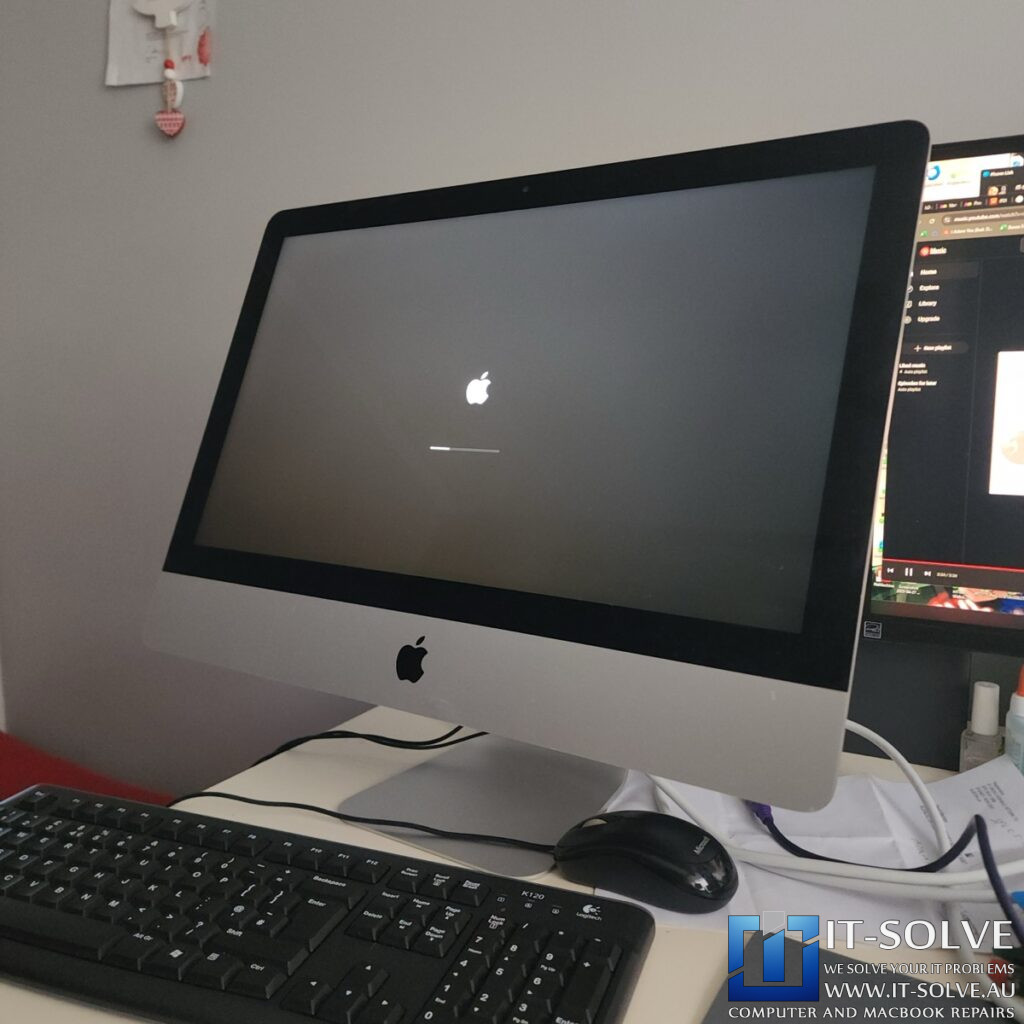
Is your device getting that very long loading bar and just remaining stuck on it?. Usually, this symptom indicates that a Slow 2015 iMac Repair is necessary because the internal drive has failed. Consequently, the only effective solution is to replace the faulty drive with a modern SSD.

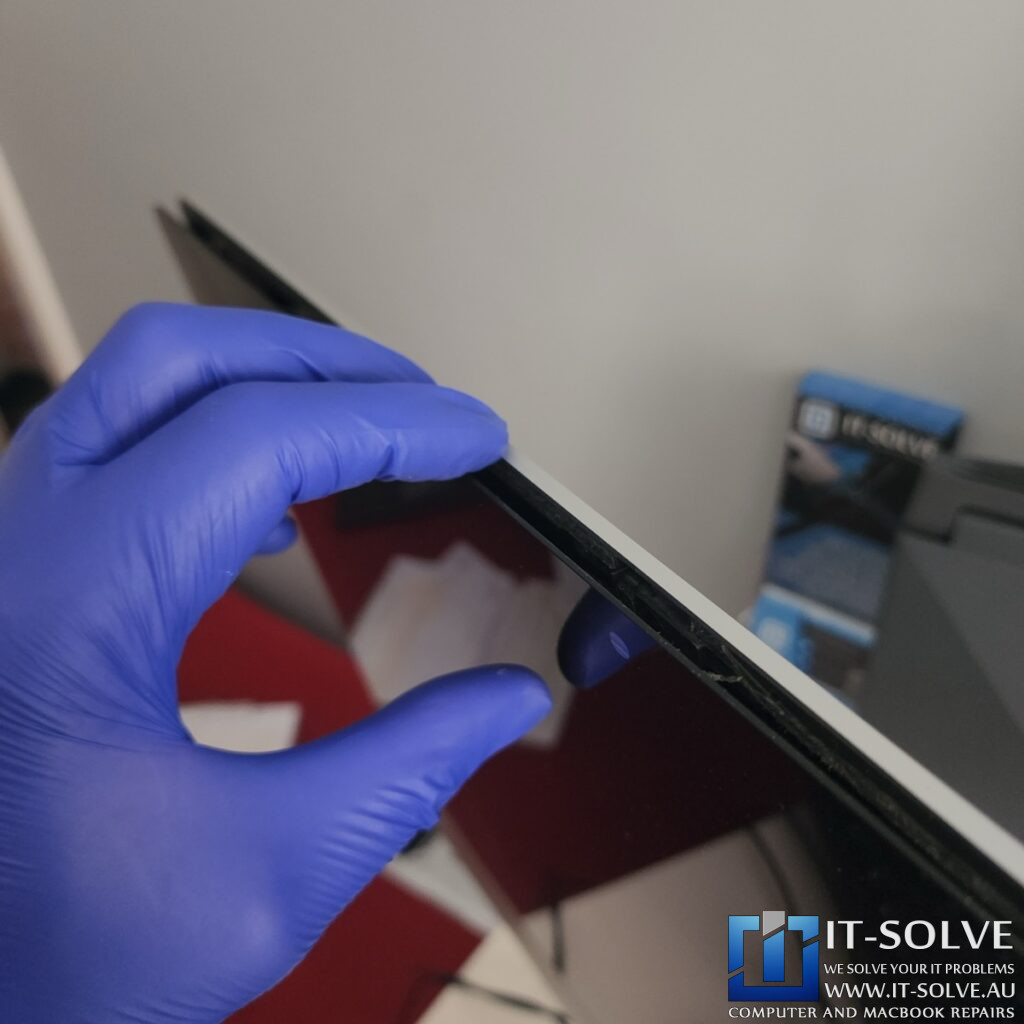
You should be aware that these iMacs are glued together, which means we cannot easily take them apart. Furthermore, a high risk exists that the screen might break during the opening process. Because it costs approximately $2,000 to replace a cracked screen, our technicians must use extreme care.

Separating iMac Screen
Slow 2015 iMac Repair – Resolving Performance and Loading Issues

To begin the repair, we carefully slice the double-sided tape that holds the screen remarkably tight. Before we fit the new drive, we perform a thorough cleaning and service of the entire system. It is important to note that the old double-sided tape cannot be reused. This material acts like a foam between the two adhesive sides and inevitably gets destroyed during the removal process.

Identifying the Failing Fusion Drive in a 2015 iMac
Slow 2015 iMac Repair – Resolving Performance and Loading Issues

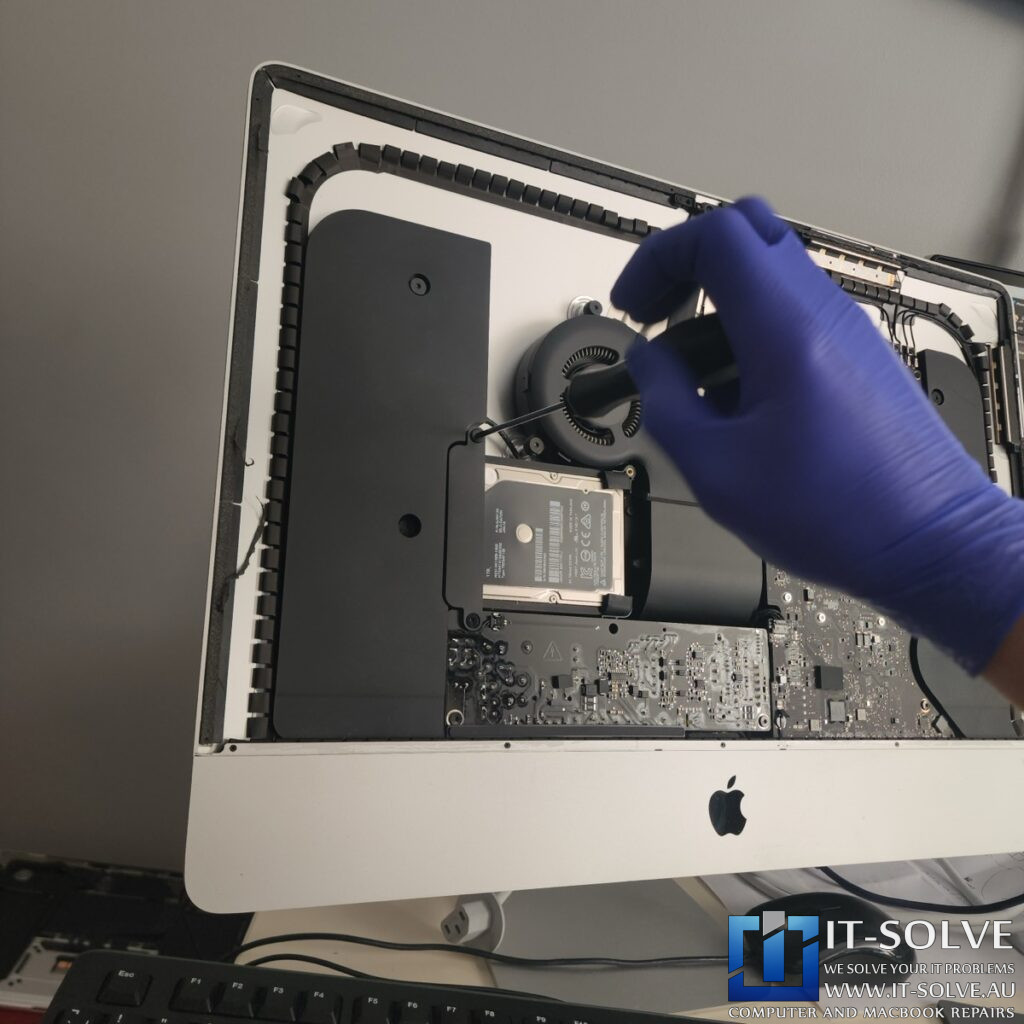
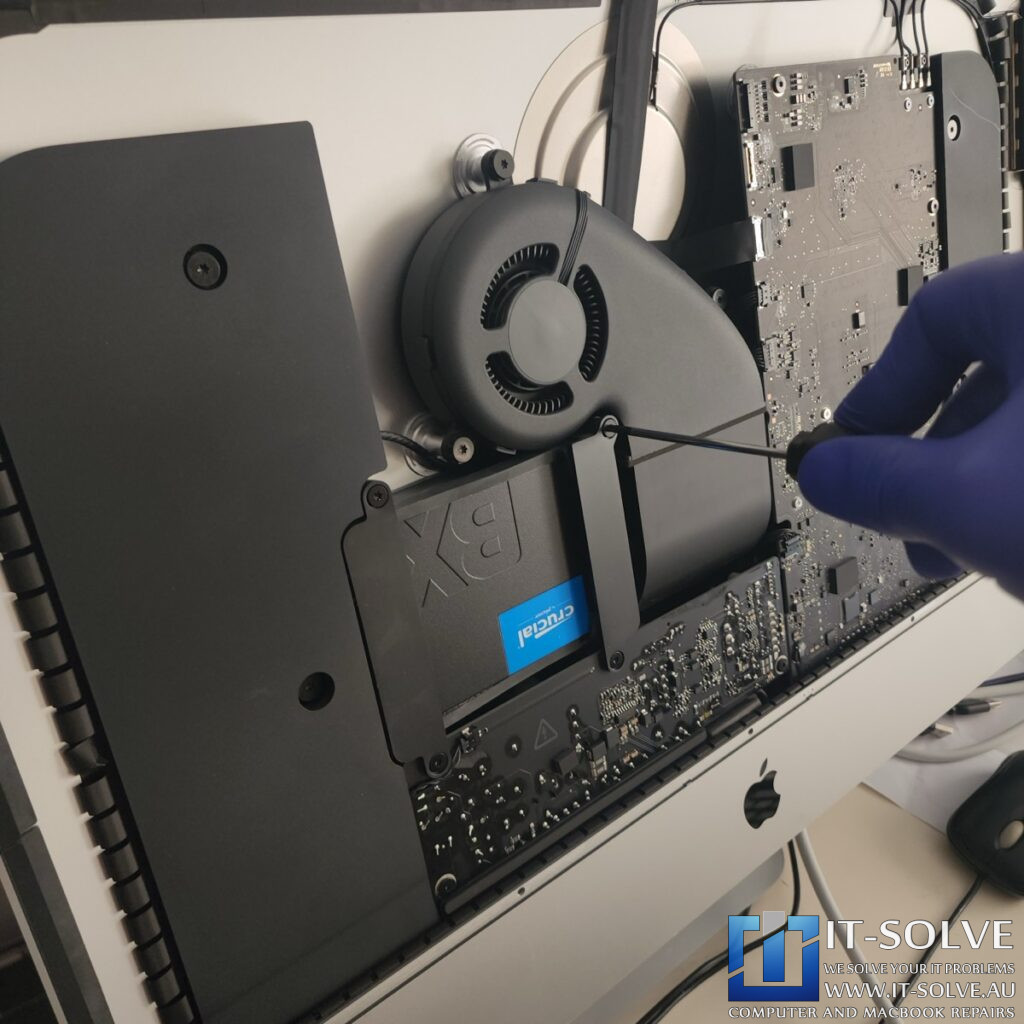
Once the screen is safely removed, the older Fusion type drive inside RepairID #2511 becomes visible. Although these drives typically fail after five to six years, this specific 2015 model has already provided ten years of service. Therefore, a Slow 2015 iMac Repair involving the replacement of this failing component with a reliable 1-terabyte SSD is the best way to restore full functionality.

New SSD Installation and Reassembly
Slow 2015 iMac Repair – Resolving Performance and Loading Issues

After the internal area is prepped, the new 1-terabyte SSD is securely installed. In addition to the drive, we apply fresh specialized tape around the edges of the frame. We must be particularly careful not to cover the microphone during this stage. As soon as the screen is ready, it is glued back into place and the system is fired up for the first time.

macOS Ventura Installation on a 2015 iMac
Slow 2015 iMac Repair – Resolving Performance and Loading Issues

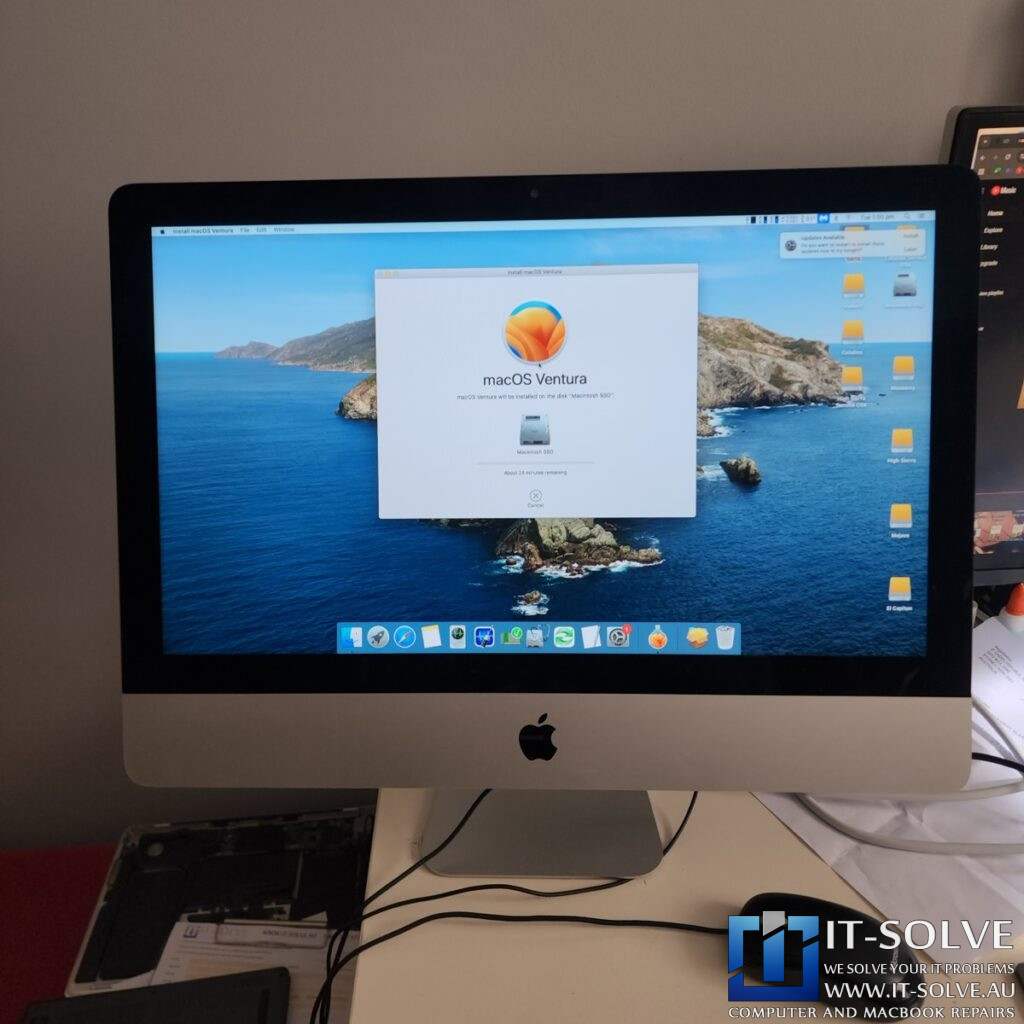
We boot into our service system to install macOS Ventura on the new hardware. Either Monterey or Ventura will run very smoothly on a 2015 model like this one. Consequently, we format the 1-terabyte Crucial drive, which is a very reliable component for any Slow 2015 iMac Repair.

Completed iMac 1TB SSD Upgrade
Slow 2015 iMac Repair – Resolving Performance and Loading Issues

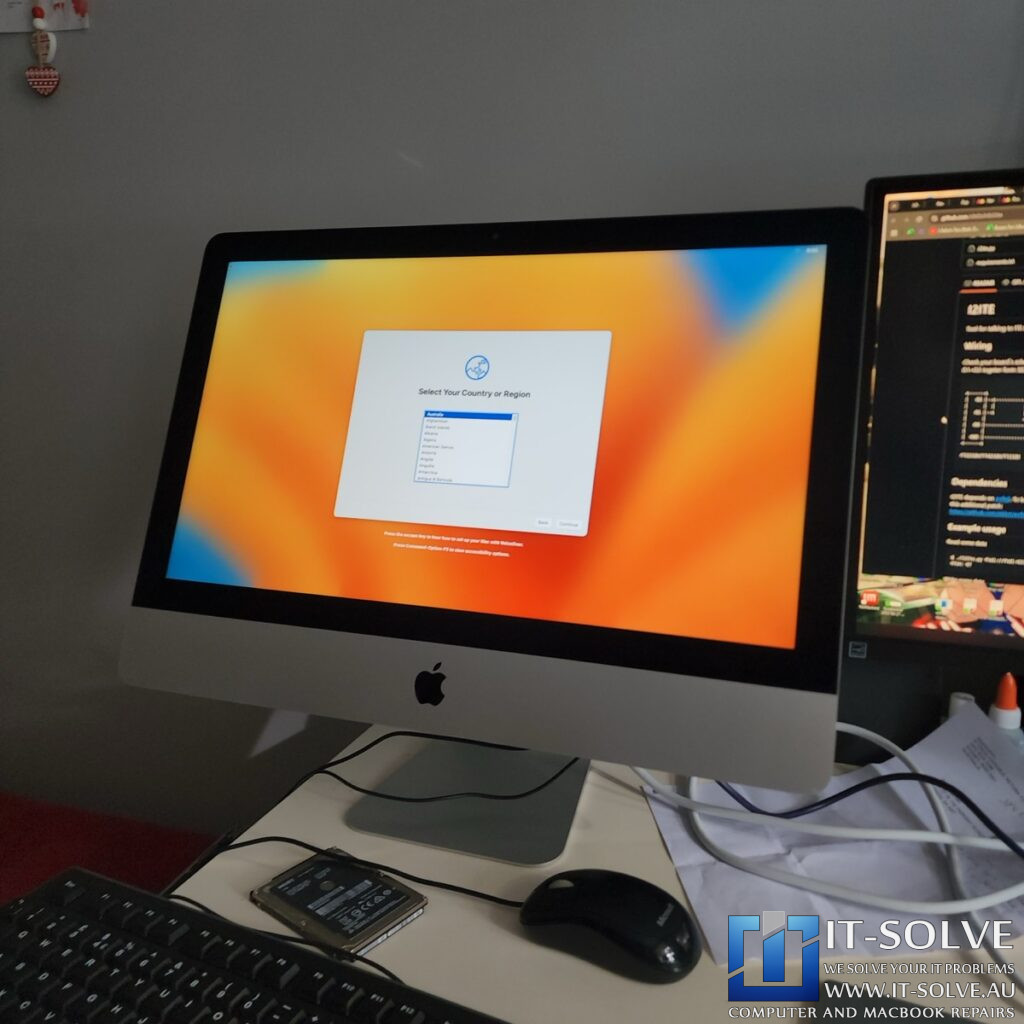
After finishing the setup, the iMac is good to go with the new 1-terabyte SSD. We connect to the internet to ensure all updates are applied correctly. Even with 8 gigabytes of RAM, the system is now quite snappy and responsive. These are extremely high-quality machines that can be easily upgraded. It is sad to see them wasted or thrown away for new models that are not as resilient as these original ones.

#itsolverepairs We have created a social media video of this repair! Look up #itsolverepairs to watch the discovery of the failed components and the full internal restoration. You can see the difference a professional service makes on a modern machine. We encourage you to nudge our team on social media to see more precision electronics work. For high-quality photos and updates regarding #2511 and other cases, follow us on Instagram and Facebook. Check our Social Media channels

Needing a Slow 2015 iMac Repair in Adelaide?

Are you experiencing long loading times or an iMac that refuses to boot? You need a professional specialist for Slow 2015 iMac Repair in Adelaide. Check our fixed-rate Slow iMac Repair in Adelaide and book your service today. Additionally, have a look at our Slow iMac Repair cases online regarding our recent success stories like #2511. We provide expert electronic solutions and performance upgrades at a reasonable price right here in Adelaide!

See the repairs in action, subscribe to get tips and learn how we do repairs

Do you need this Repair in Adelaide?

If your Macbook or Laptop is causing trouble and you need a Laptop & Macbook Repair Service in Adelaide, give us a call, and we will advise on the best scenario to get your Device repaired.

We at IT-Solve, specialise in Mac, Laptops and Electronics Repairs. We will do our best to repair your Device quickly without involving high costs and long waiting times in Repair shops. Our average repair takes under a week!

Trust Australia’s Highest Rated Macbook Repair Service!

5.0/5

Repaired, not Replaced!

We are committed to reducing e-waste in Australia. We do it by educating our customers on the reparability and longevity of their devices, as well as providing affordable Laptop and Macbook Repairs here in Adelaide.
Although our best intentions and hard work, this is not an easy task. Customers must accept that cost of high-quality electronic repairs is between a third and half of the price of a new device. However, with the current trend of planned obsolescence in electronic design, we see more and more Laptops having shorter lifespans. To tackle that, while we do our repairs, we target common planned obsolescence engineering design mistakes to ensure we extend the life expectancy of the Laptops we Repair. Check some of our Repair Cases to get an idea of the process.

That said, if we buy a new one or write it off via insurance, it does not guarantee that the new one will not meet the same fate as the older one pretty soon.

Quite often, we see accidents reoccurring within less than 2-year gaps. So if we can save 2000$ or even 1000$ today by repairing our faulty Laptop or Macbook is brilliant. That’s an extra half cost of a Device, ready to be spent on another one. If the time comes or our need for performance changes.
When that time comes is up to us to buy a new one or keep pushing the one we have, but delaying it by a year or three is always a good starting point and saves another abandoned Laptop or Macbook from polluting our only Planet.